Certification Made Easy

From setup to NABISY reporting
Your complete workflow in one platform

1

Get Started in Minutes

Onboarding Wizard

The guided onboarding wizard sets up your plant in just a few steps. From company data to plant configuration to approved feedstocks - you'll be productive in minutes. Depending on your certification system, only relevant steps are shown.
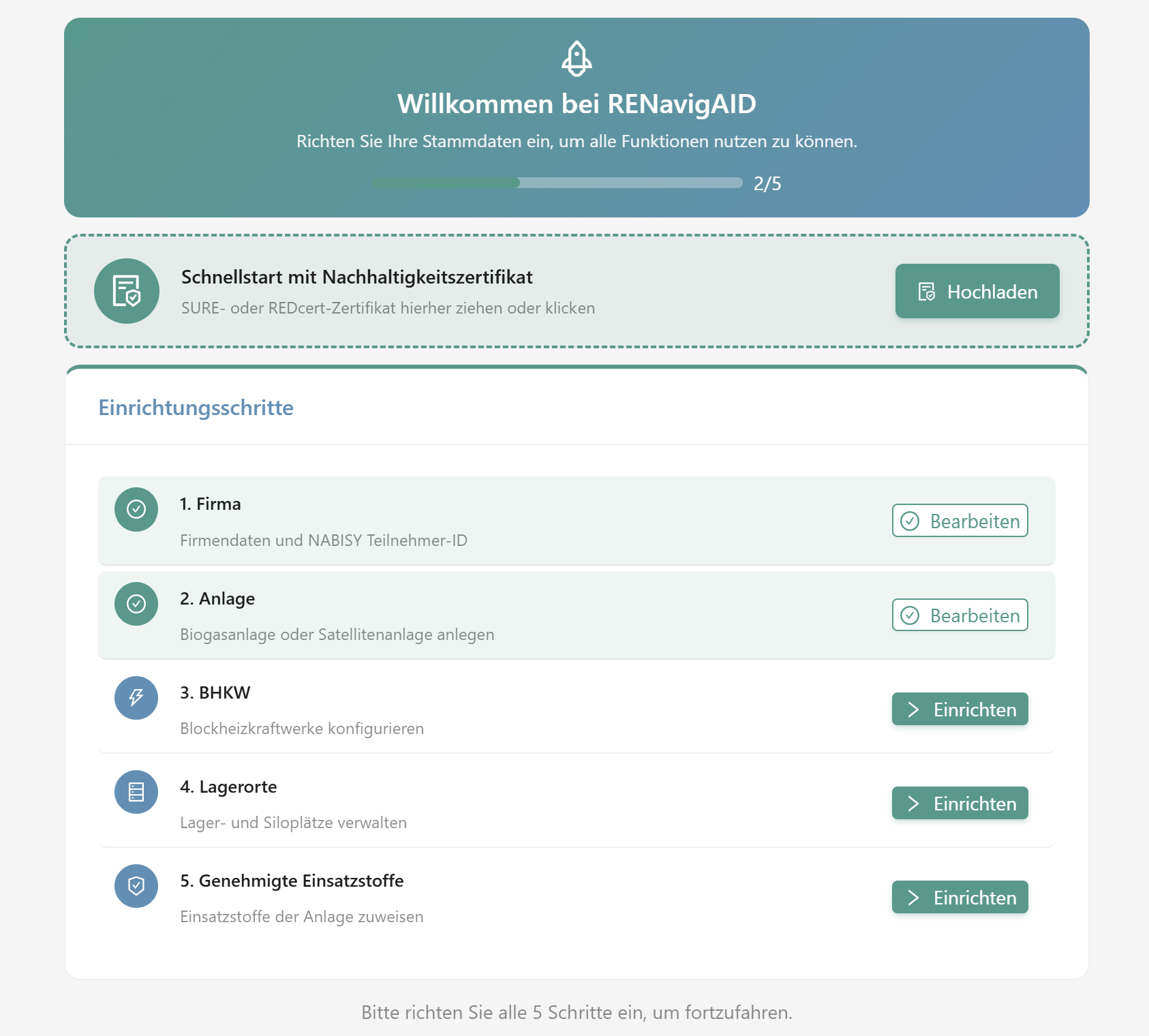
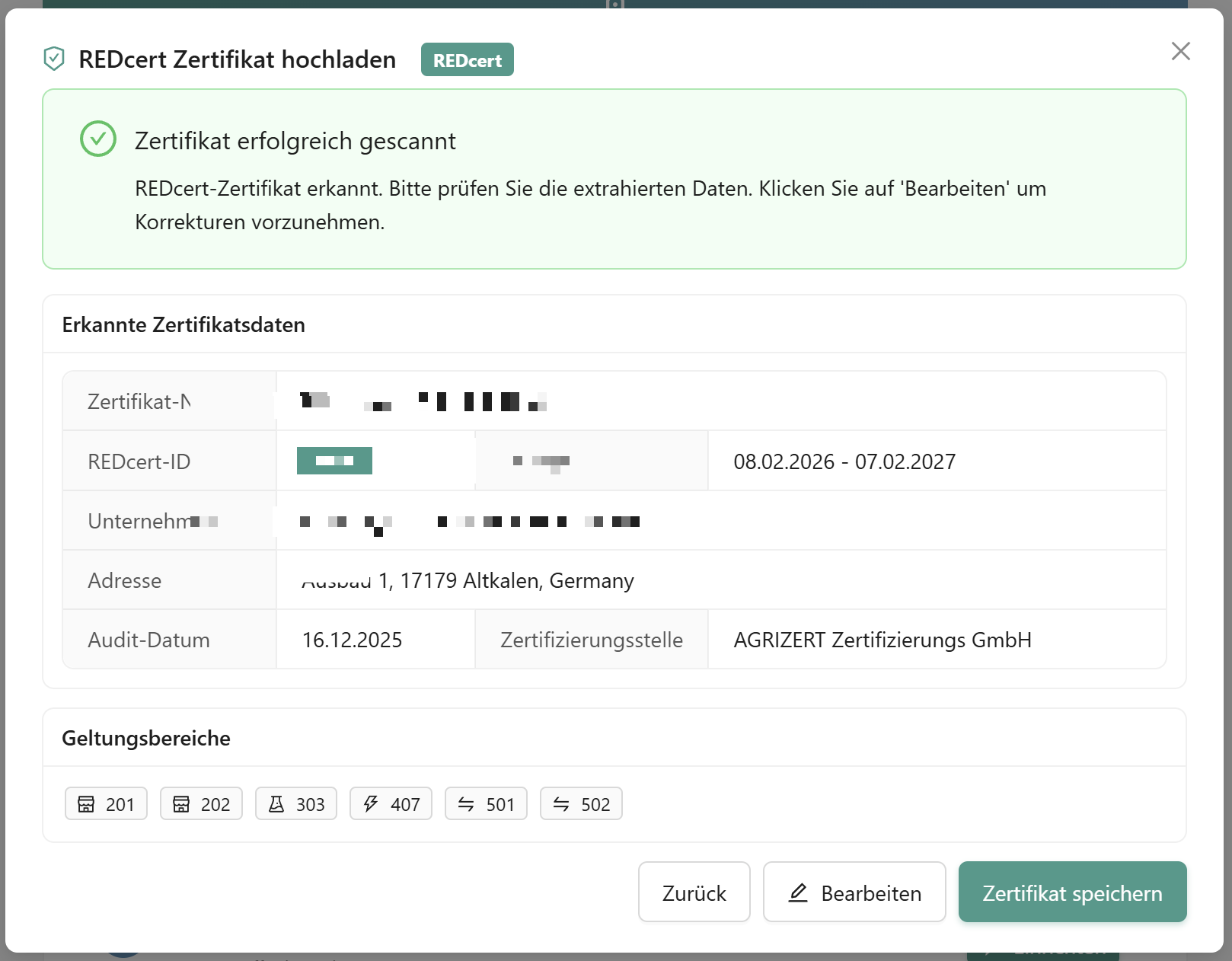
  • Set up company, plant, CHP units, storage locations and feedstocks
  • Upload your current SURE or REDcert certificate
  • AI-powered certificate verification (scope & validity)
Few Steps Certificate Upload Instantly Productive
Onboarding Wizard

Onboarding Wizard & AI Certificate Verification

2

Centralized Plant Data Management

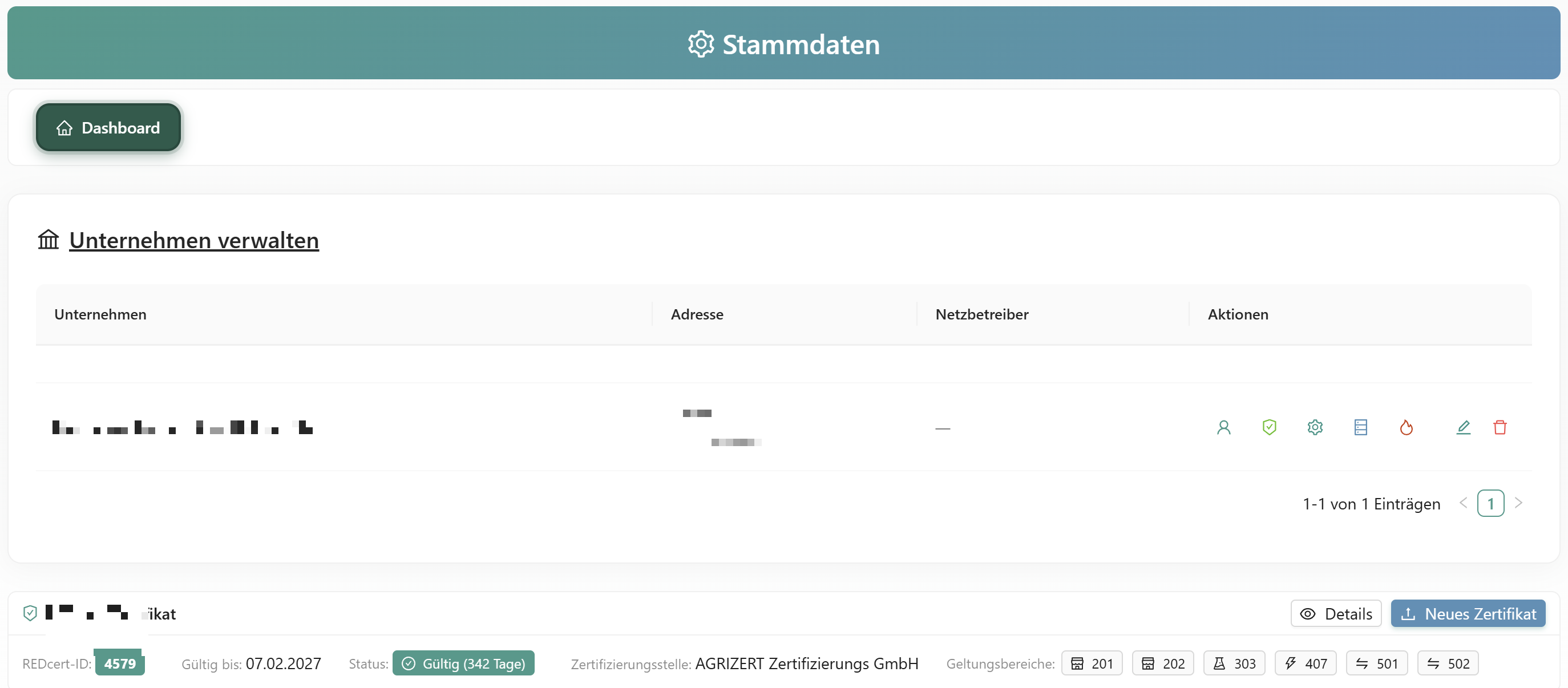
Master Data

Master Data Management

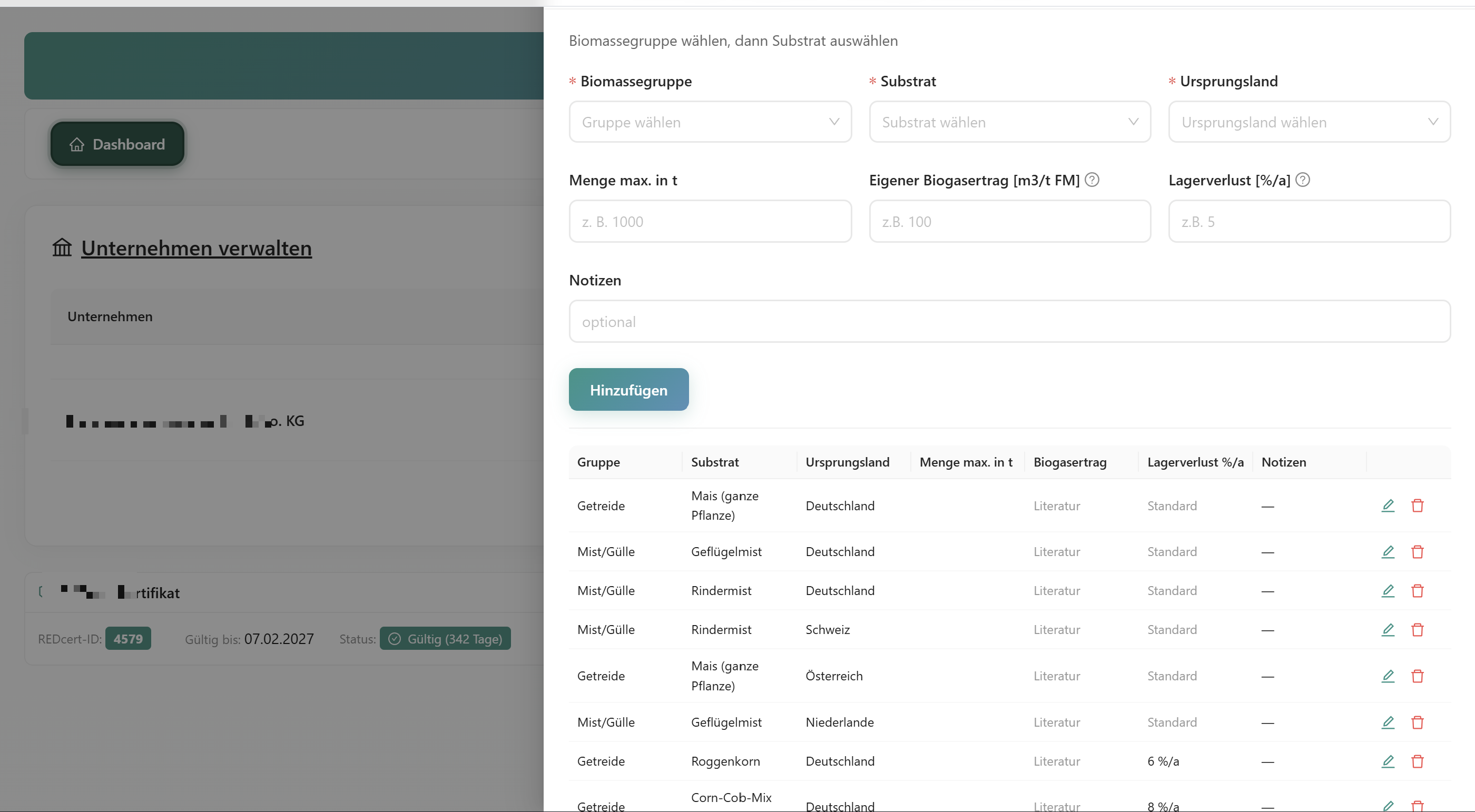
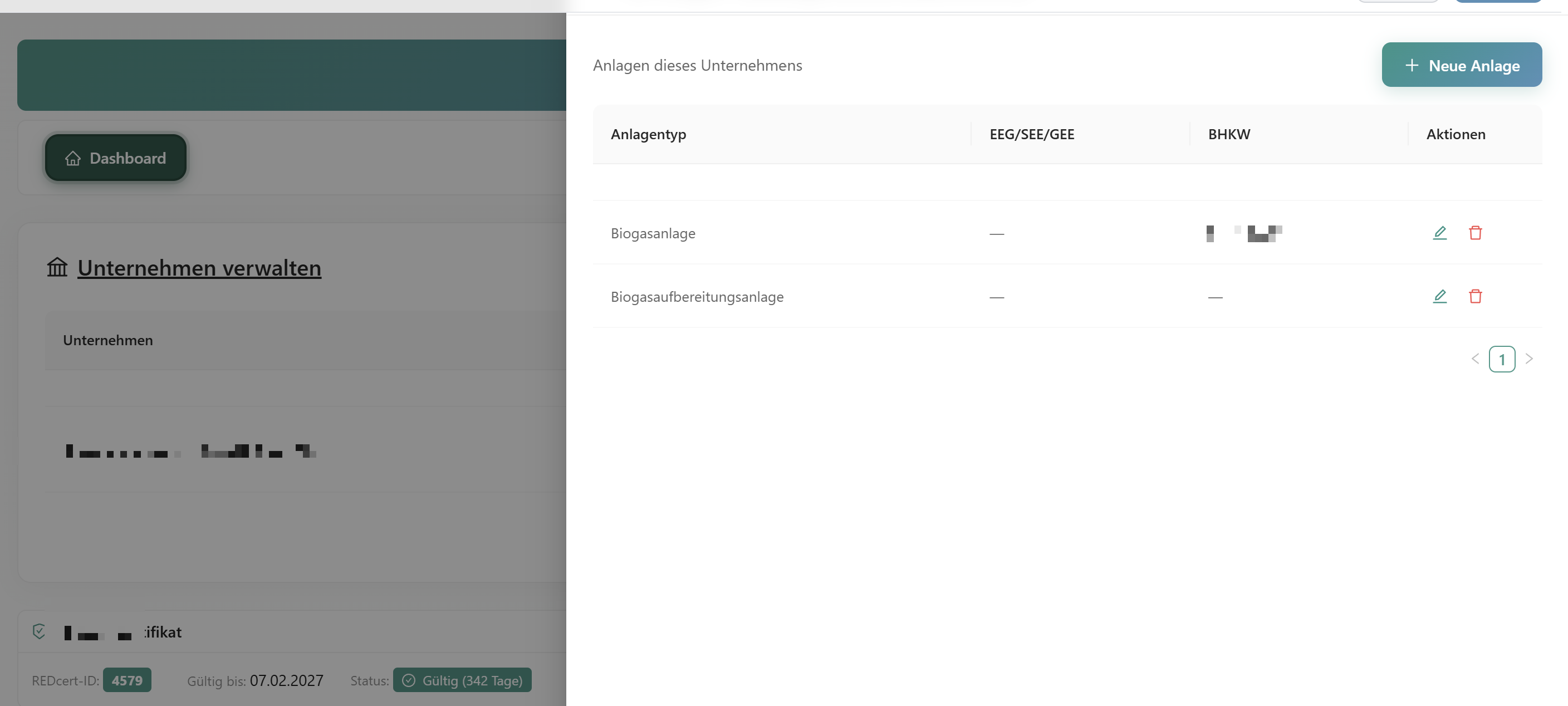
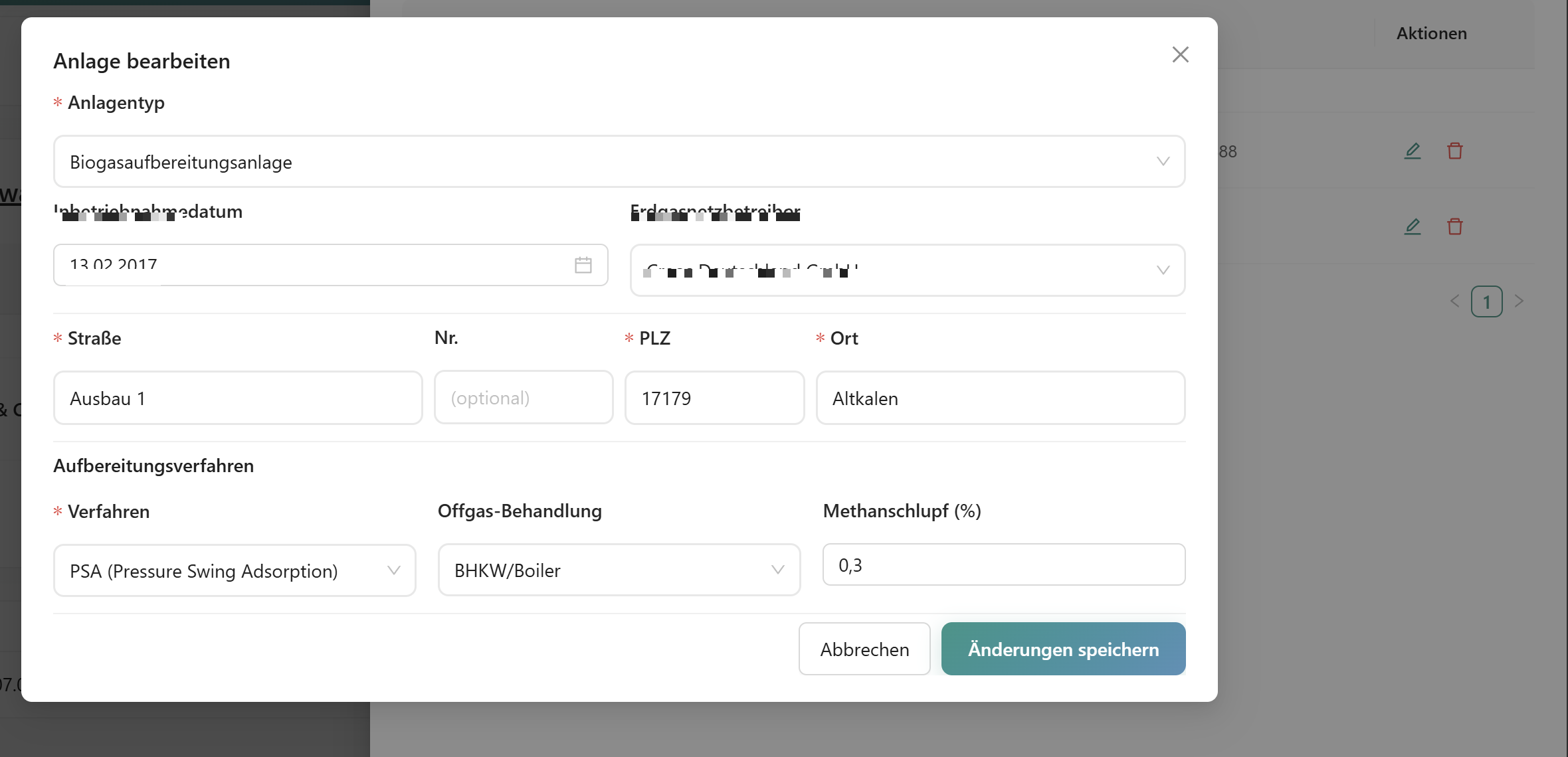
Master Data, Feedstocks & Plant Configuration

Various data sections cover all aspects of your plant: company, plants with methane slip configuration, CHP units, storage locations, approved feedstocks and grid operators.

  • Per feedstock: country of origin, custom biogas yield [m3/t FM], storage loss [%/a]
  • Locations with automatic geocoding
  • Configure upgrading process and exhaust gas treatment
Custom Values Geocoding Methane Slip
3

Scan Self-Declarations, Auto-Assign NUTS

Supplier Management

Scan your suppliers' self-declarations via AI-OCR. A supplier list with NUTS-2 regions and Google Maps locations is automatically generated from the supplier data.
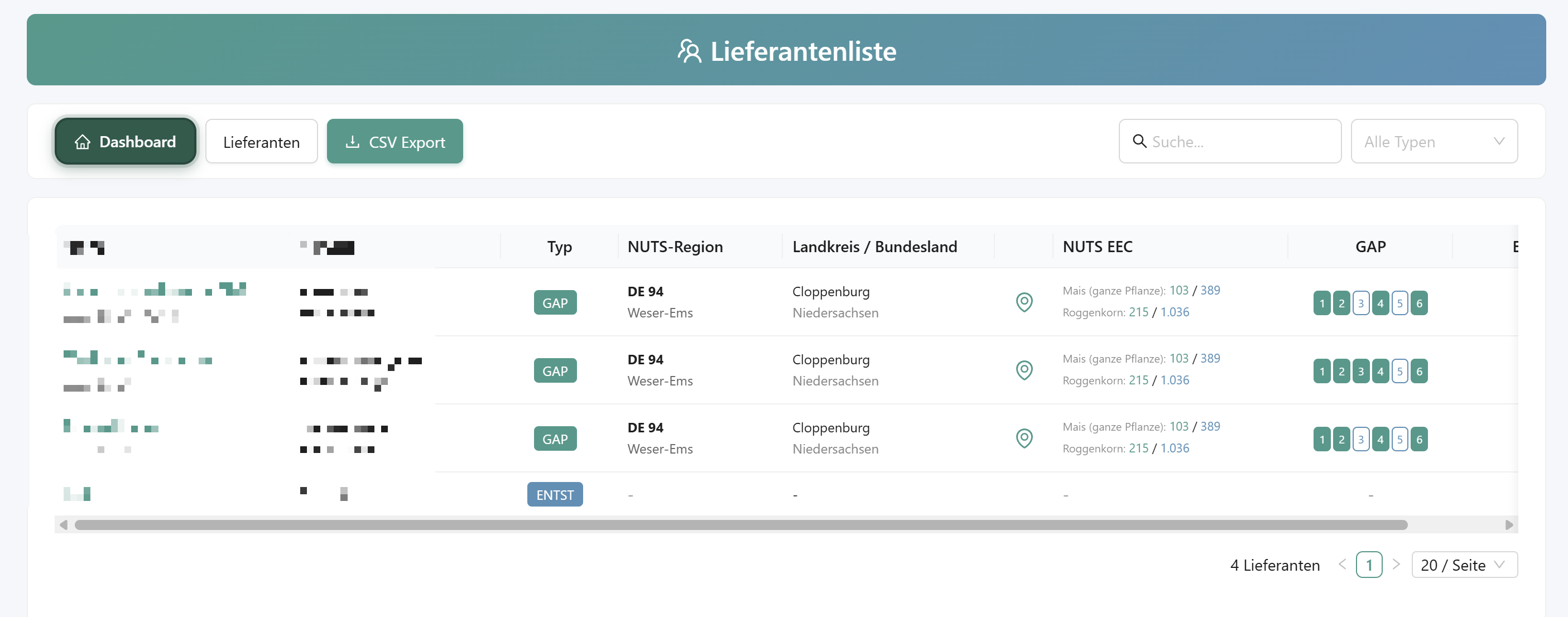
  • GAP conditionality (farmers) and origin of waste/residues
  • Automatic geocoding: address to NUTS-2 region
  • Google Maps view of farm locations
OCR Scan Auto NUTS-2 Google Maps
Suppliers with NUTS Map
4

Flexible Entry, Smart Import

Book Deliveries

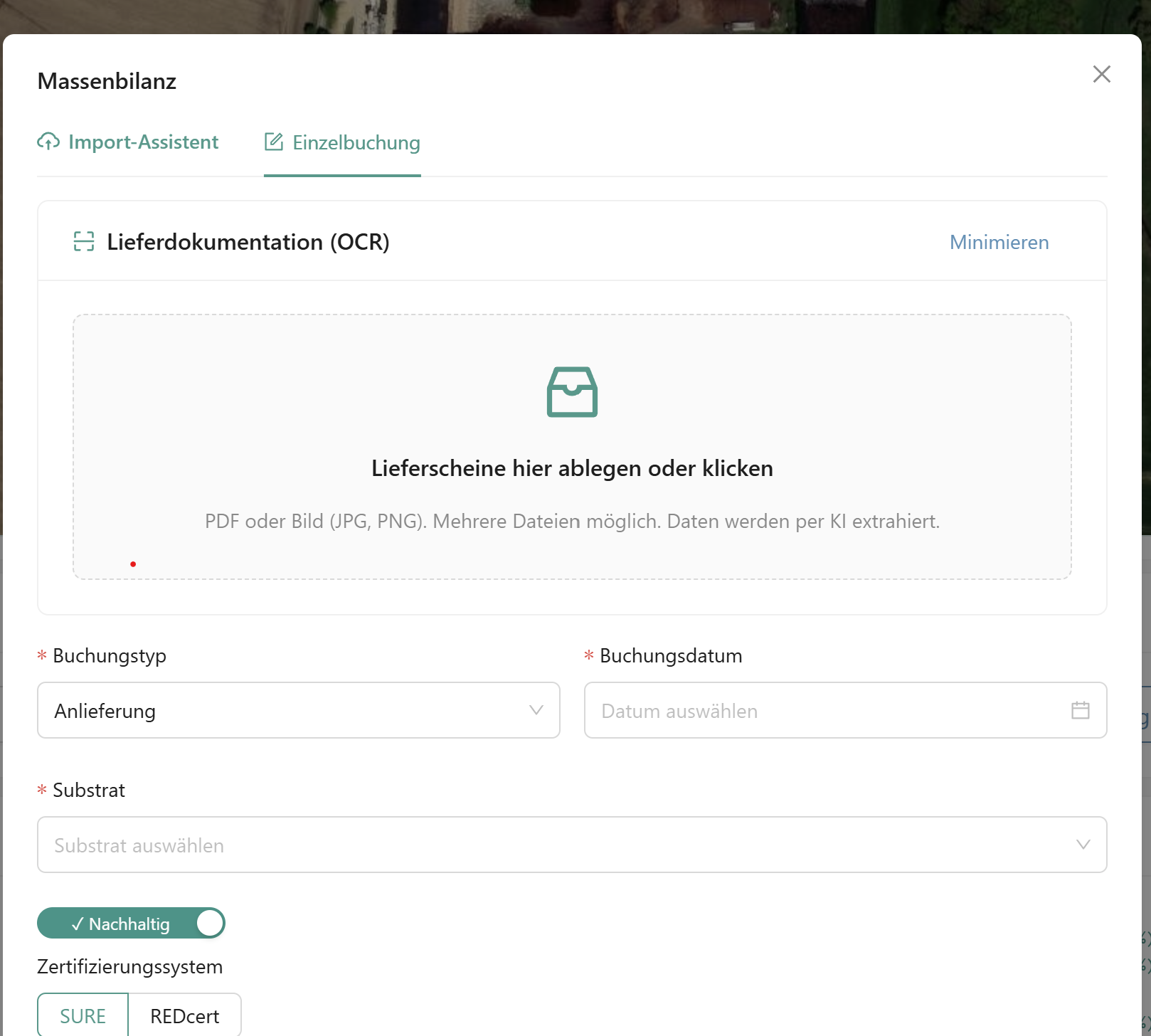
Delivery Booking Dialog

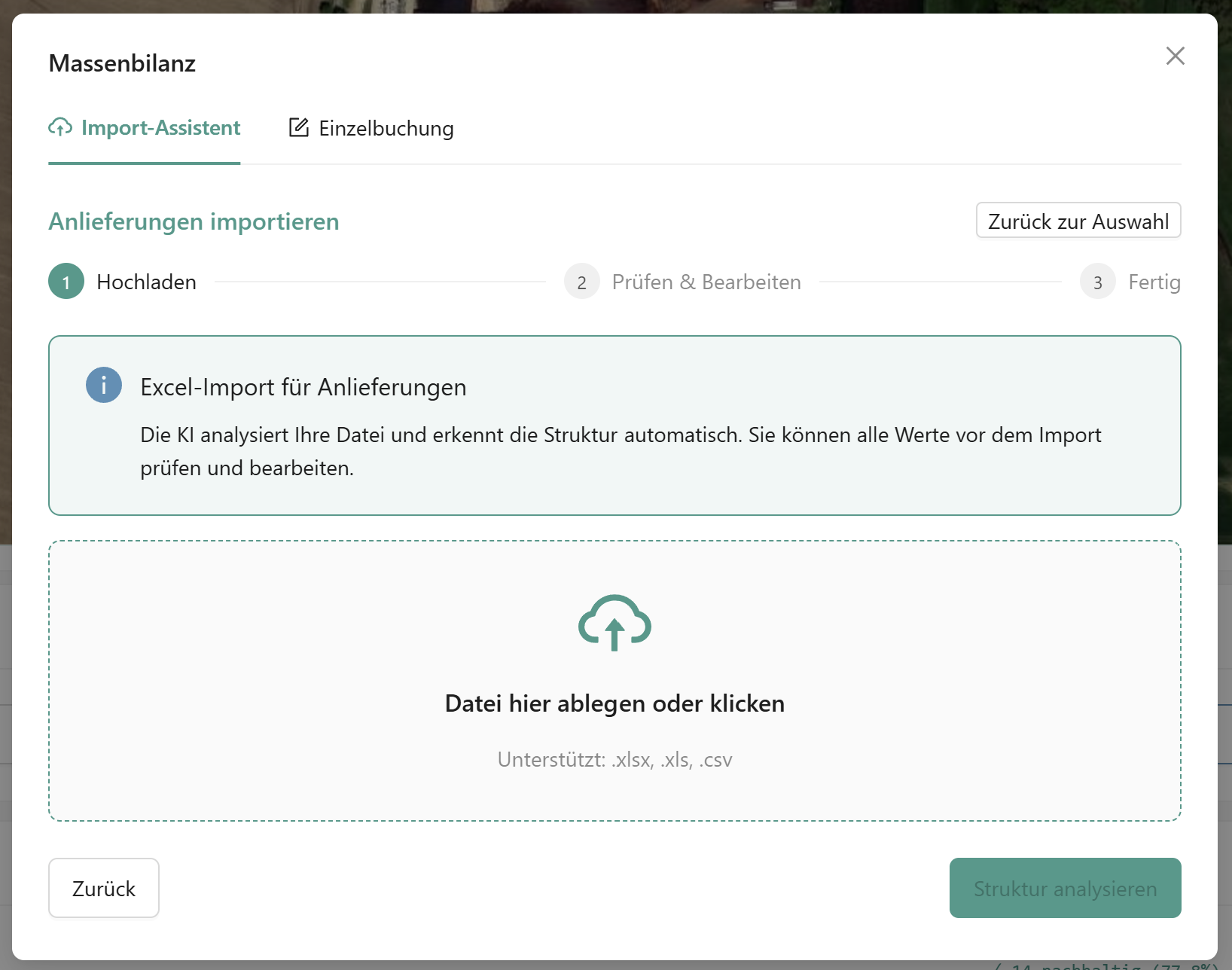
Individual Booking with OCR & Excel Bulk Upload

Three ways to record: individual booking with delivery note OCR, CSV bulk upload via weighbridge protocol, or Excel bulk upload using system-provided templates. Methane content and dry matter content are entered directly at booking time.

1
Individual Booking - Drag & Drop delivery note, AI extracts the data
2
CSV Bulk Upload - Import weighbridge protocol
3
Excel Bulk Upload - Fill in system template and upload

Workflow: Upload → Preview & Check → Confirmation → Integration. Bookings can be adjusted in detail afterwards - audit-proof logged.

3 Import Methods AI Delivery Note OCR Review Before Integration
5

Document Fermenter Feeding

Book Feedings

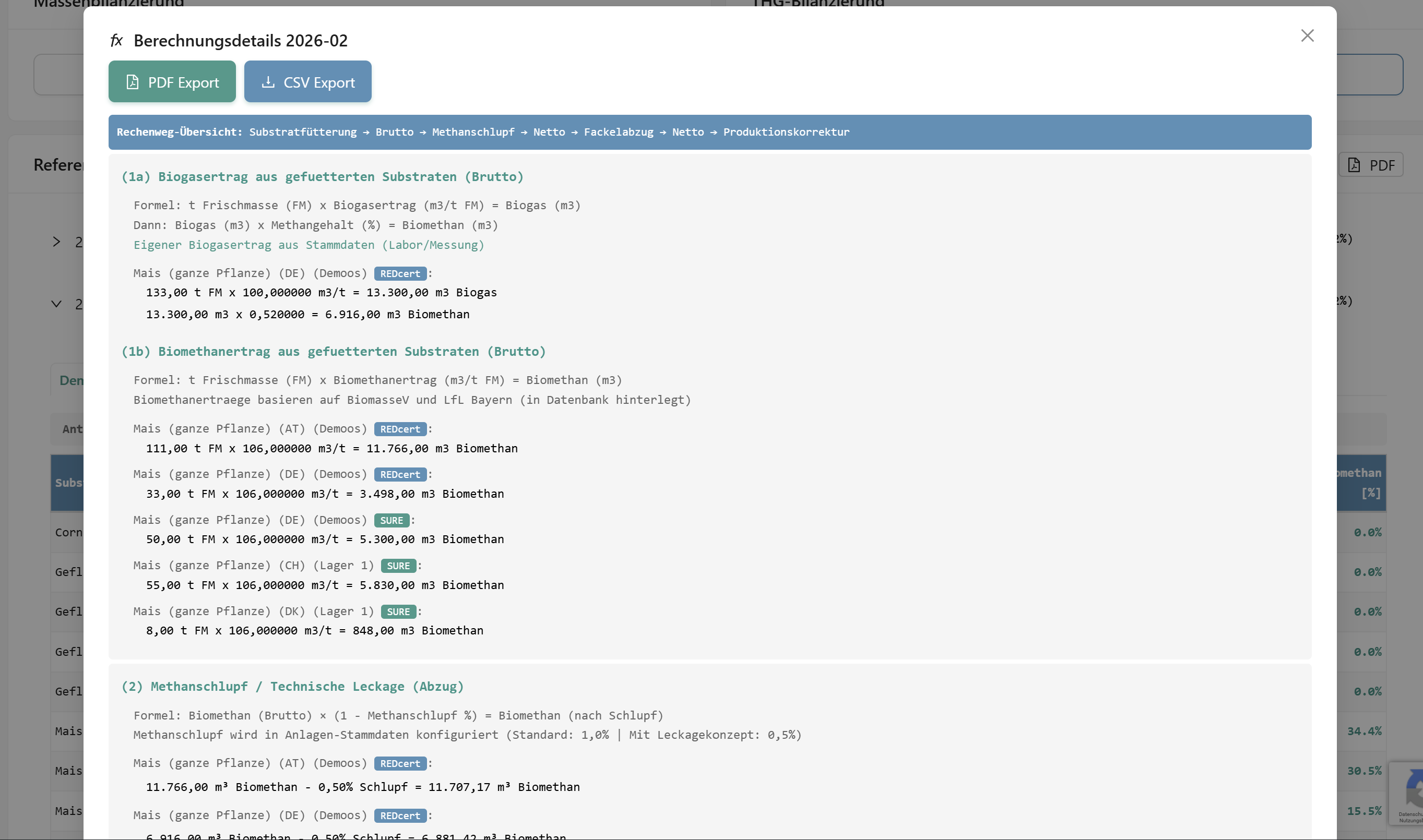
Record feedings via individual booking or bulk upload using the system-provided Excel template. Each import is shown for review before integration. For unique storage assignment, the system suggests storage locations if needed. The system also automatically recognizes differently named biomass types.
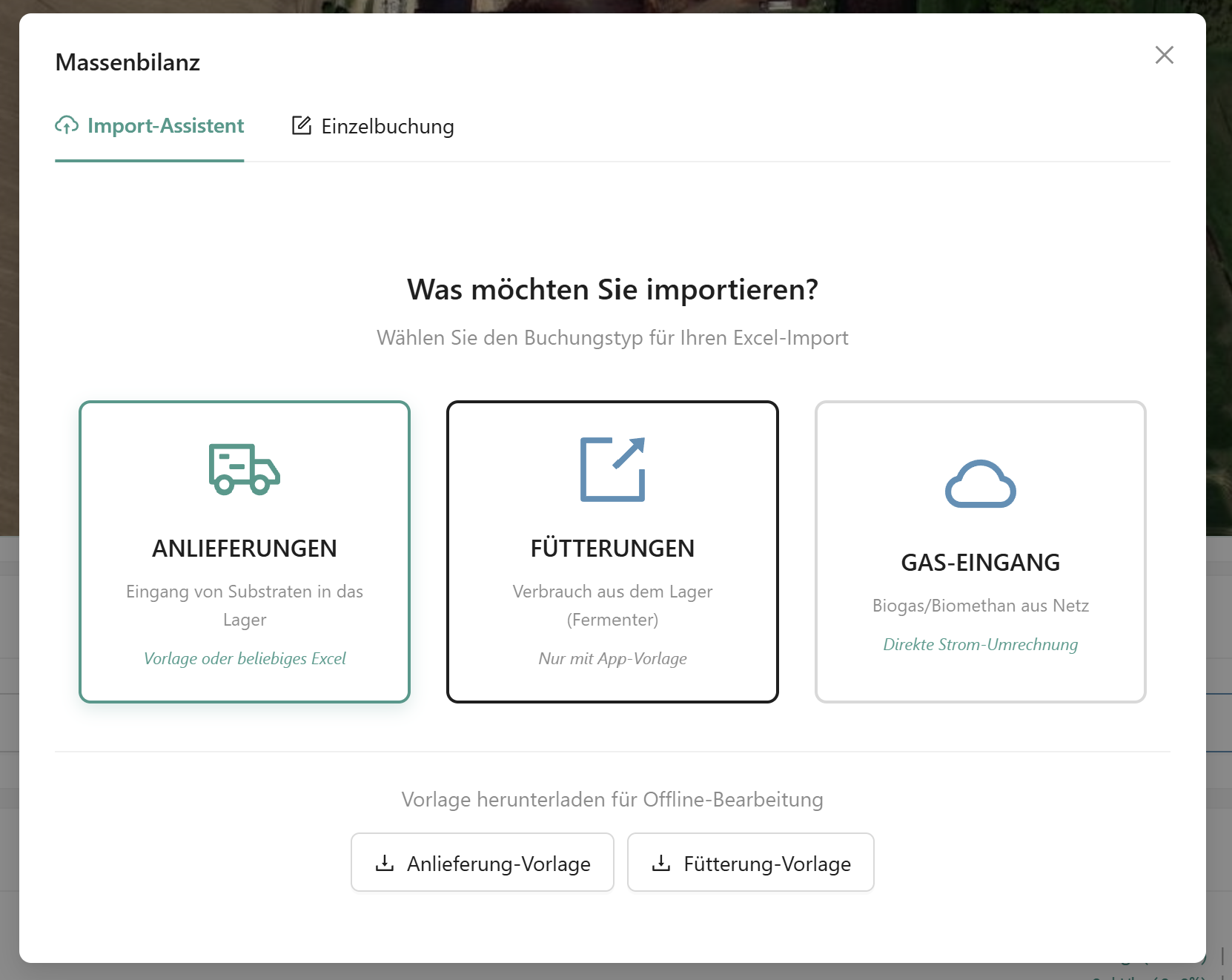
  • Individual booking per substrate and day
  • Excel bulk upload via feeding diary template
  • Bookings can be adjusted in detail afterwards
Individual + Bulk Upload Review Before Integration
Feeding Booking

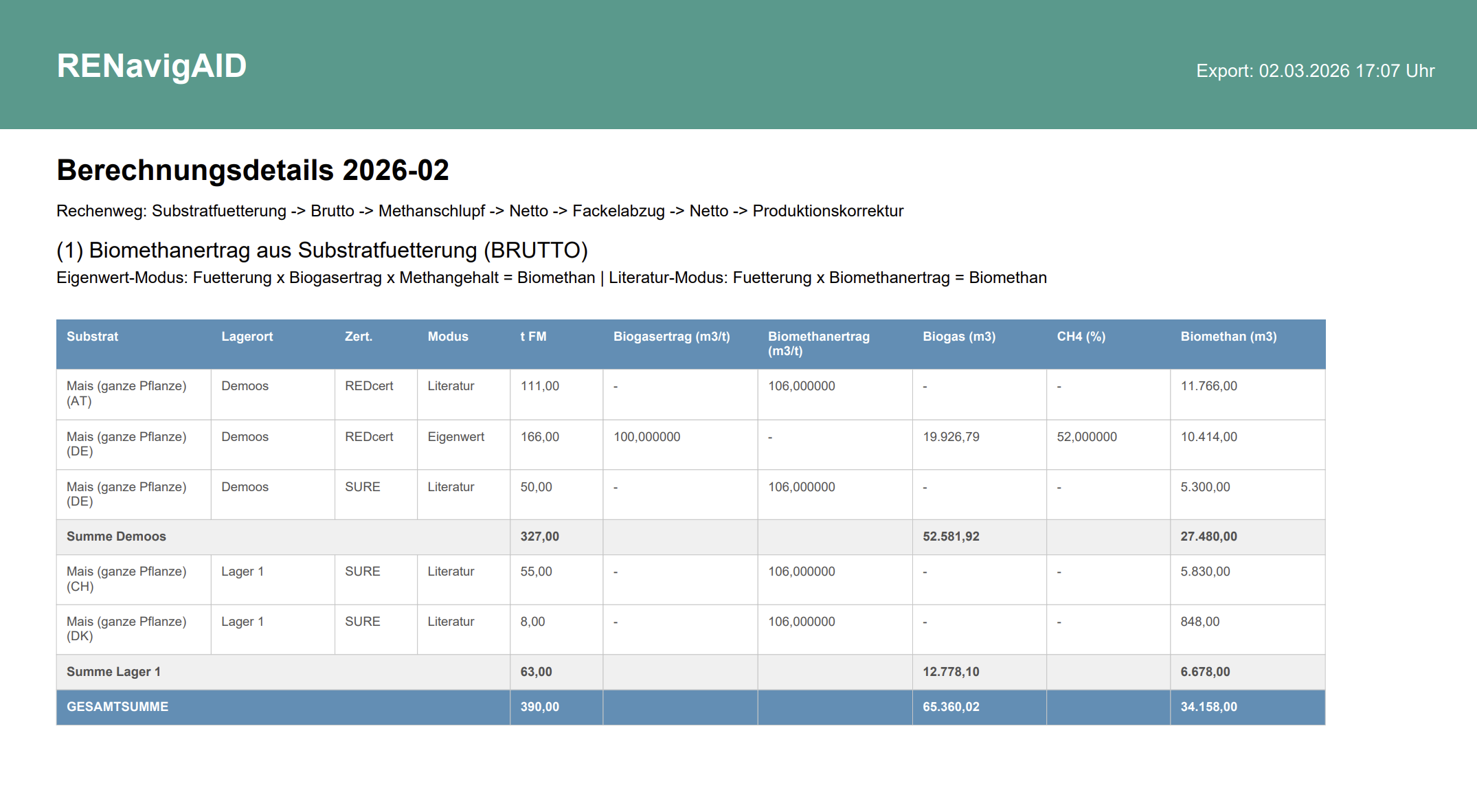
Import Assistant, Calculation Details & PDF Export

6

Everything at a Glance

Dashboard & Stock Overview

Dashboard Mass Balance

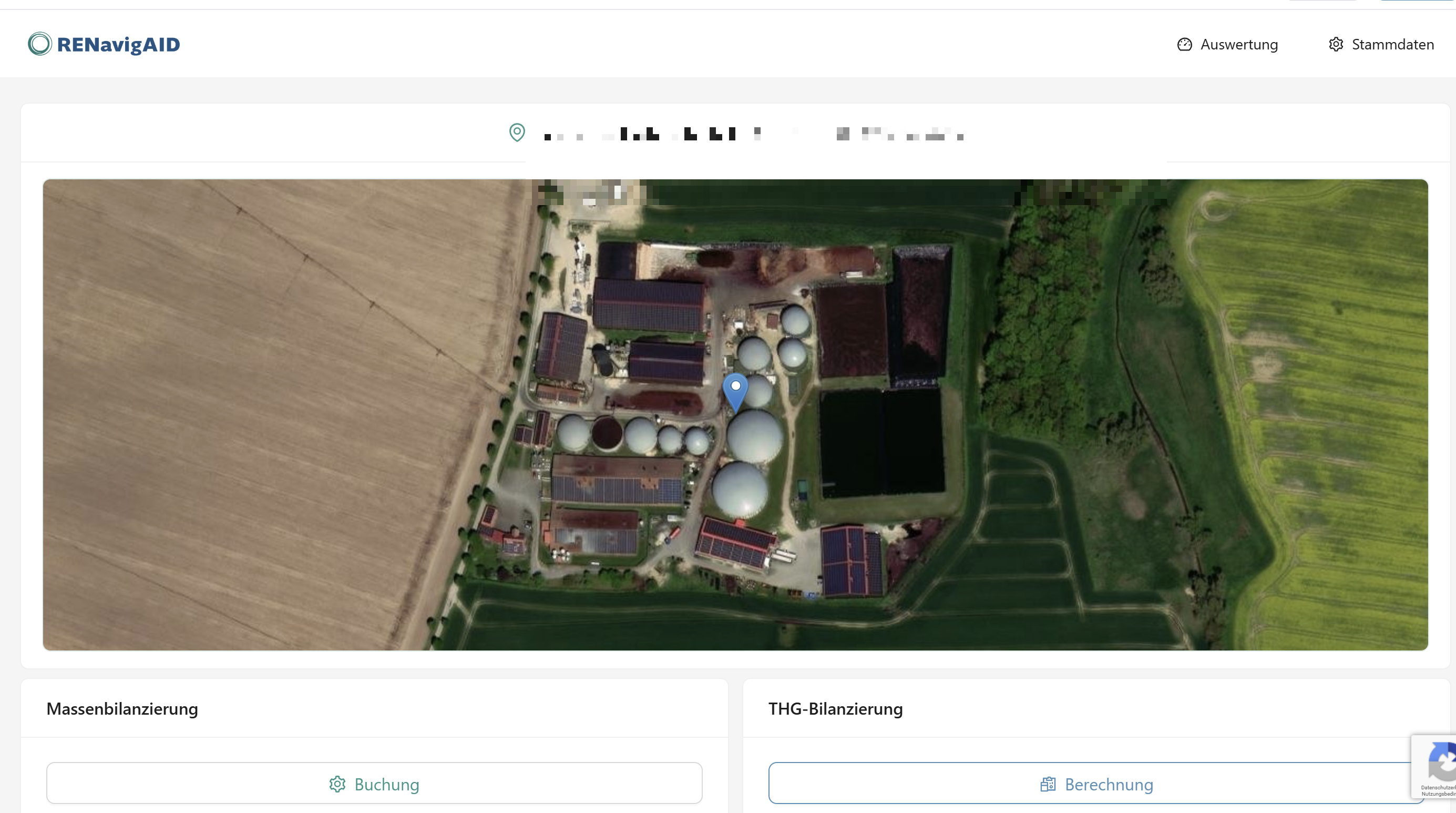
Dashboard with Location Map & Reference Periods

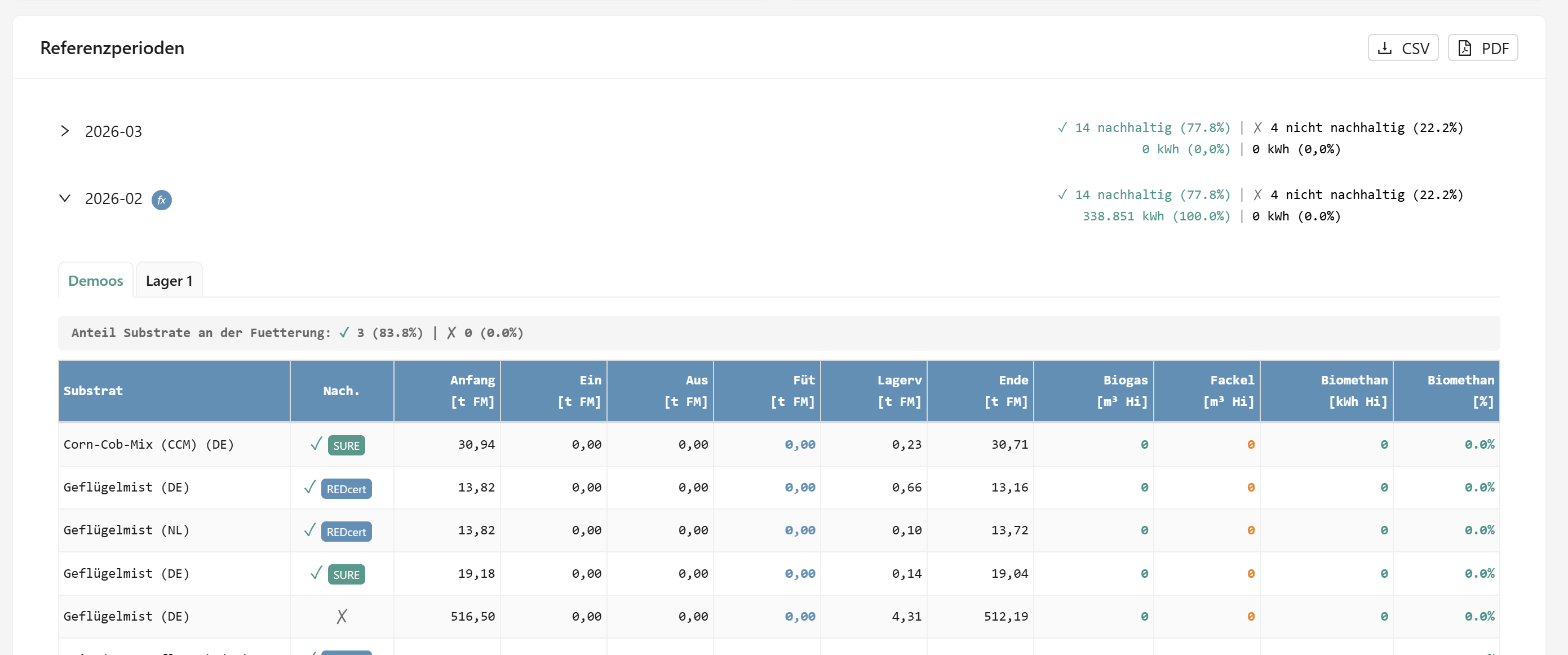
The dashboard shows all stock movements by period: opening balance, receipts, feedings, automatic storage losses and closing balance. Your biogas plant location is visible on the map.

  • Biomass flows analyzable by country and biomass type
  • Automatic (10% p.a.) and customizable storage losses and monthly carryovers
  • Various reports per reference period
Reference Periods Country-Specific Auto Storage Losses
7

Full Transaction Traceability

Booking History

Thanks to event sourcing, every booking is fully documented. Bookings can be adjusted in detail. Cancellations require a mandatory reason and create a compensating event - nothing is overwritten.
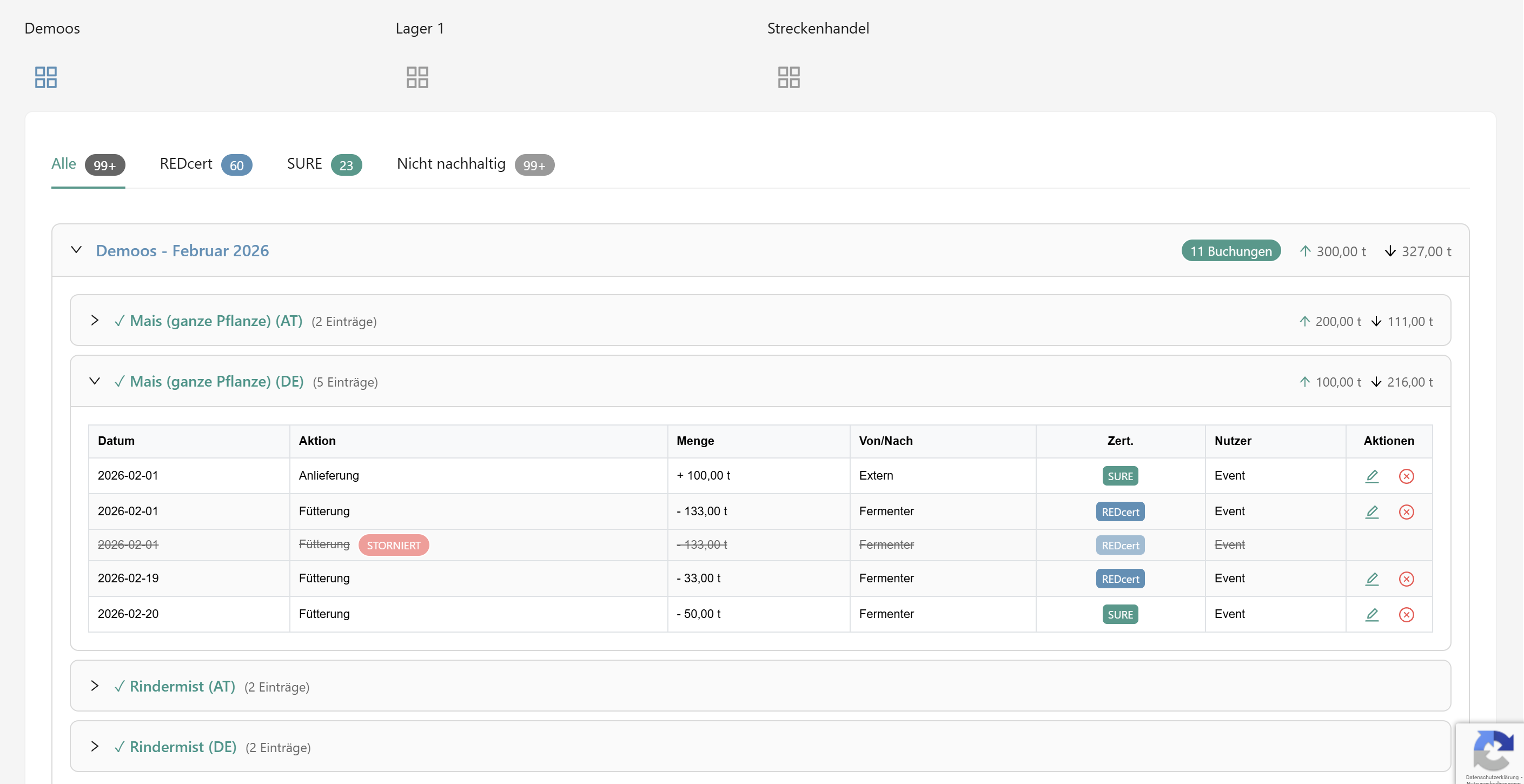
  • Complete event-sourcing history per storage location
  • Production correction: theoretical vs. measured quantities
  • Cancellation only with reason - audit-proof logged
Event Sourcing Cancellation with Reason Audit Trail
Storage History
8

Biofuel, Electricity & Heat Reports

Reports

Reports Overview

The correction factor between theoretical biomethane quantities and measured quantities is immediately visible. Gain insights into biomass flows - by country and biomass type. For SURE, additionally by engine.

  • Substrate breakdown by certification system
  • Analyze grid operator statements via OCR
Correction Factor CHP Allocation Excel Export
9

Detailed Reports

SURE & REDcert

Monthly report for REDcert-certified biomethane as fuel. Gas grid operator measurement data, Hs/Hi conversion and MJ calculation - all automatic with correction factor.
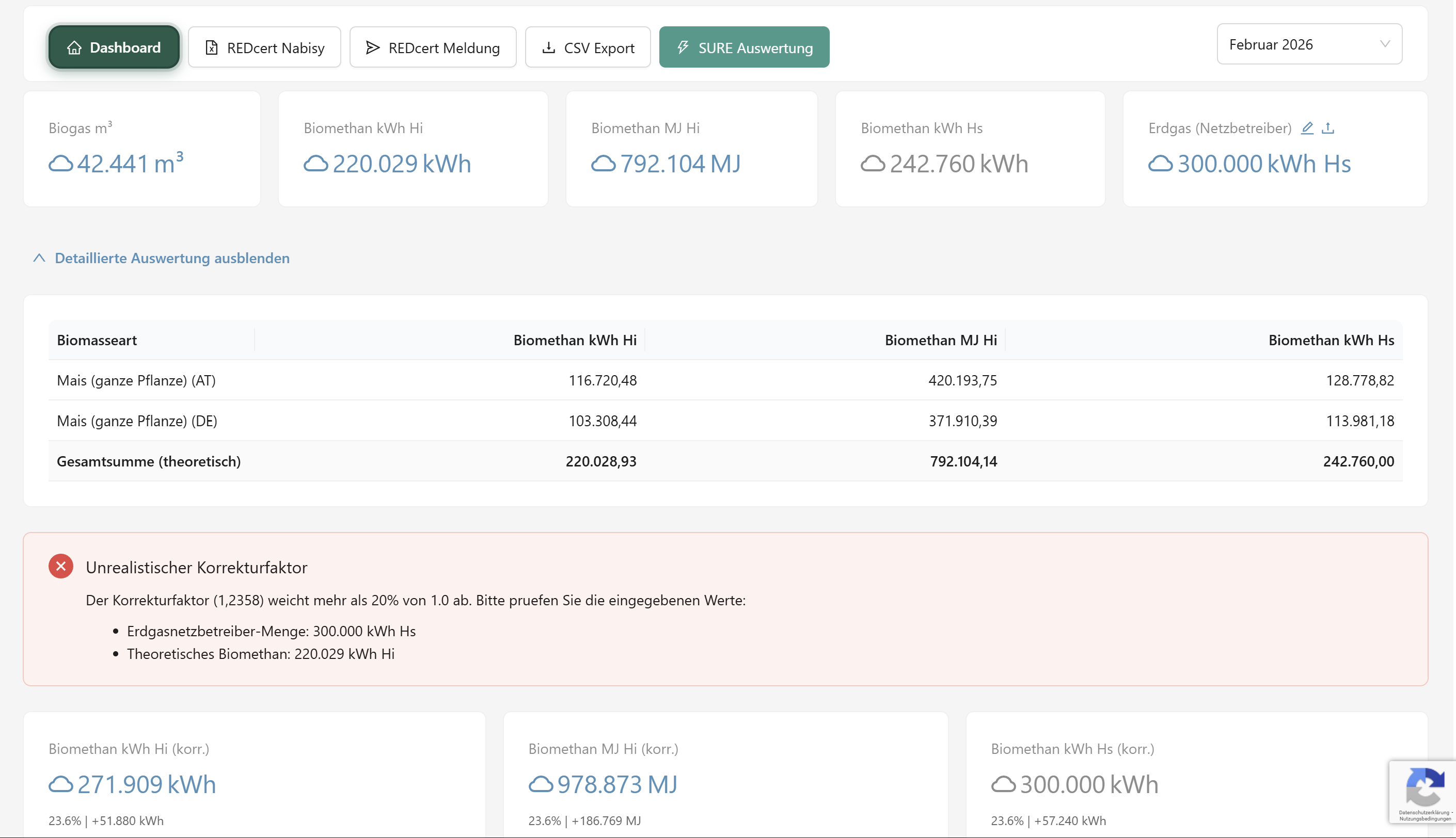
  • Automatic Hs/Hi conversion and kWh-to-MJ conversion
  • Analyze grid operator statements/reports via OCR
  • Substrate breakdown by certification system
  • CHP-specific allocation of energy flows
Correction Factor Hs/Hi Conversion Excel Export
SURE Report
10

RED II/III Compliant GHG Calculation

GHG Accounting

GHG Accounting
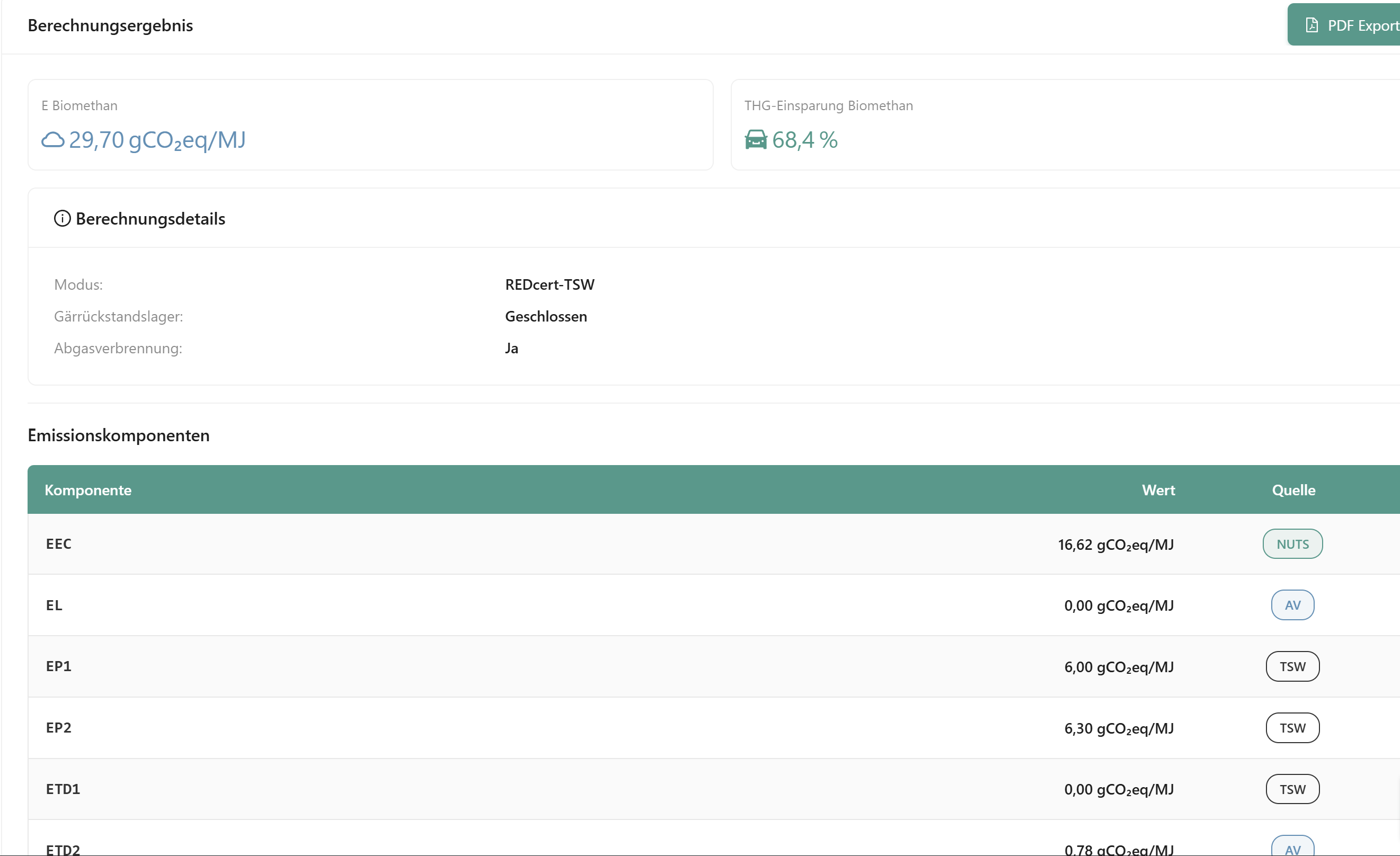
GHG Result

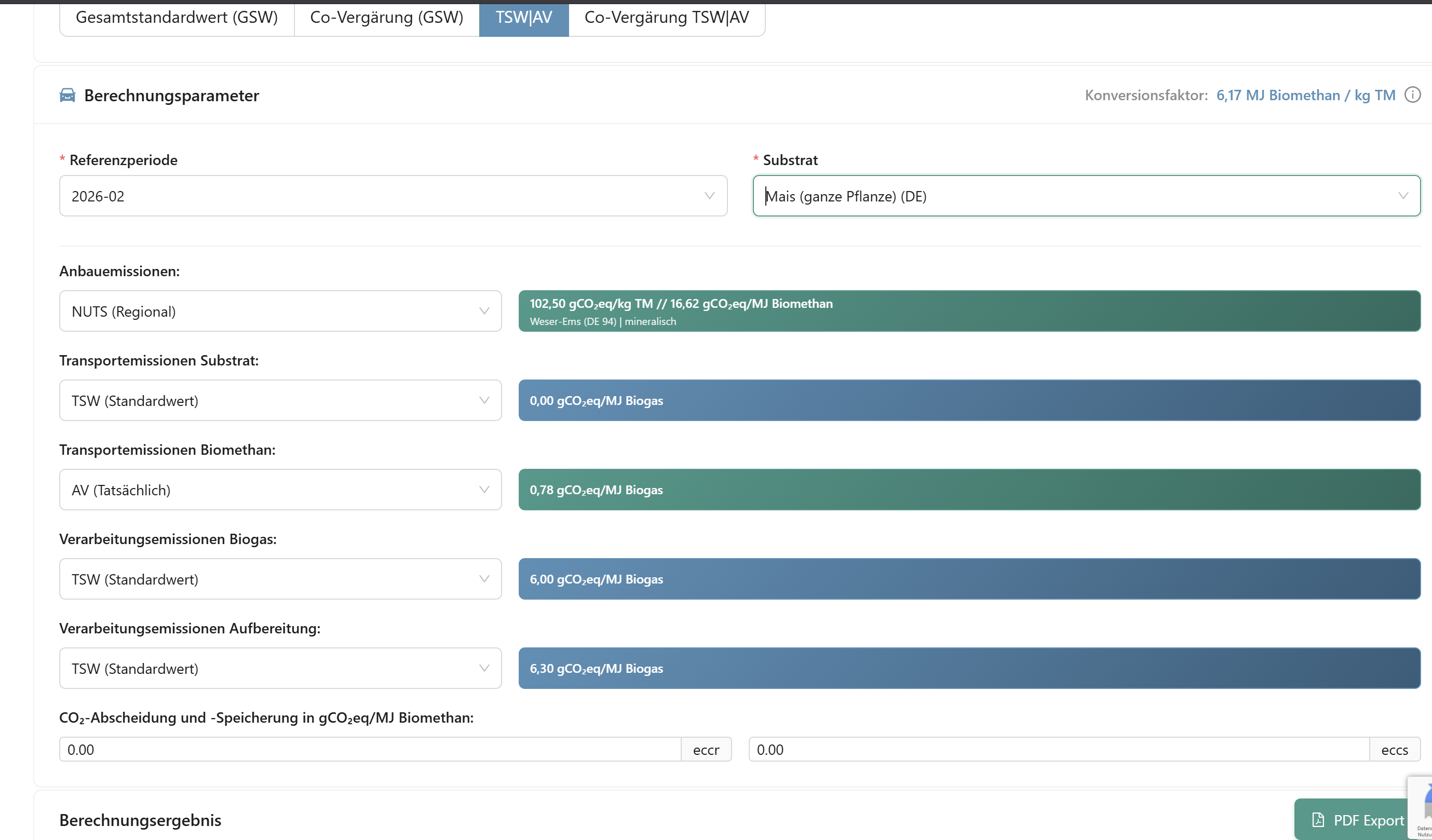
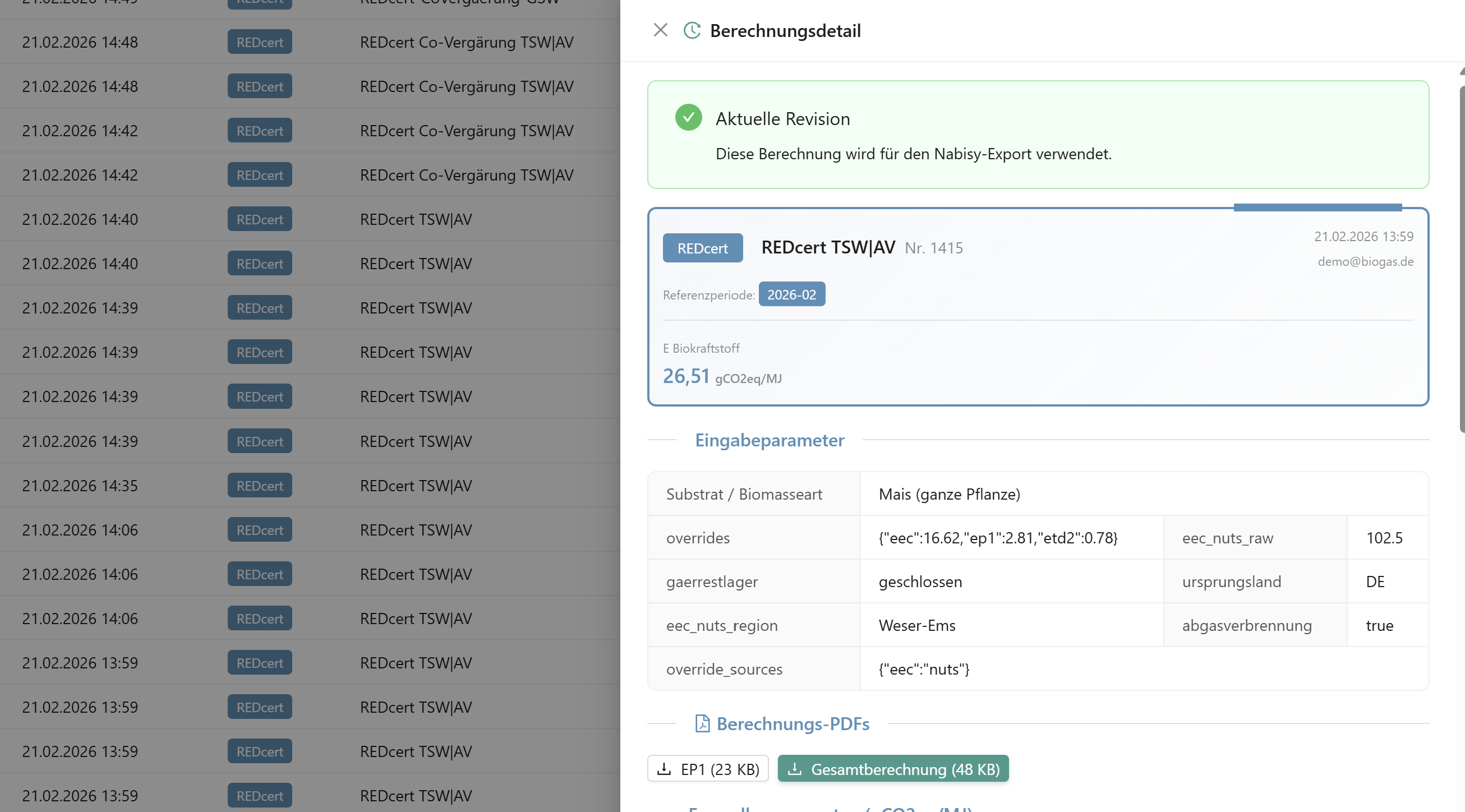
Parameters, Result, Co-Digestion, Conversion Factor & Calculation History

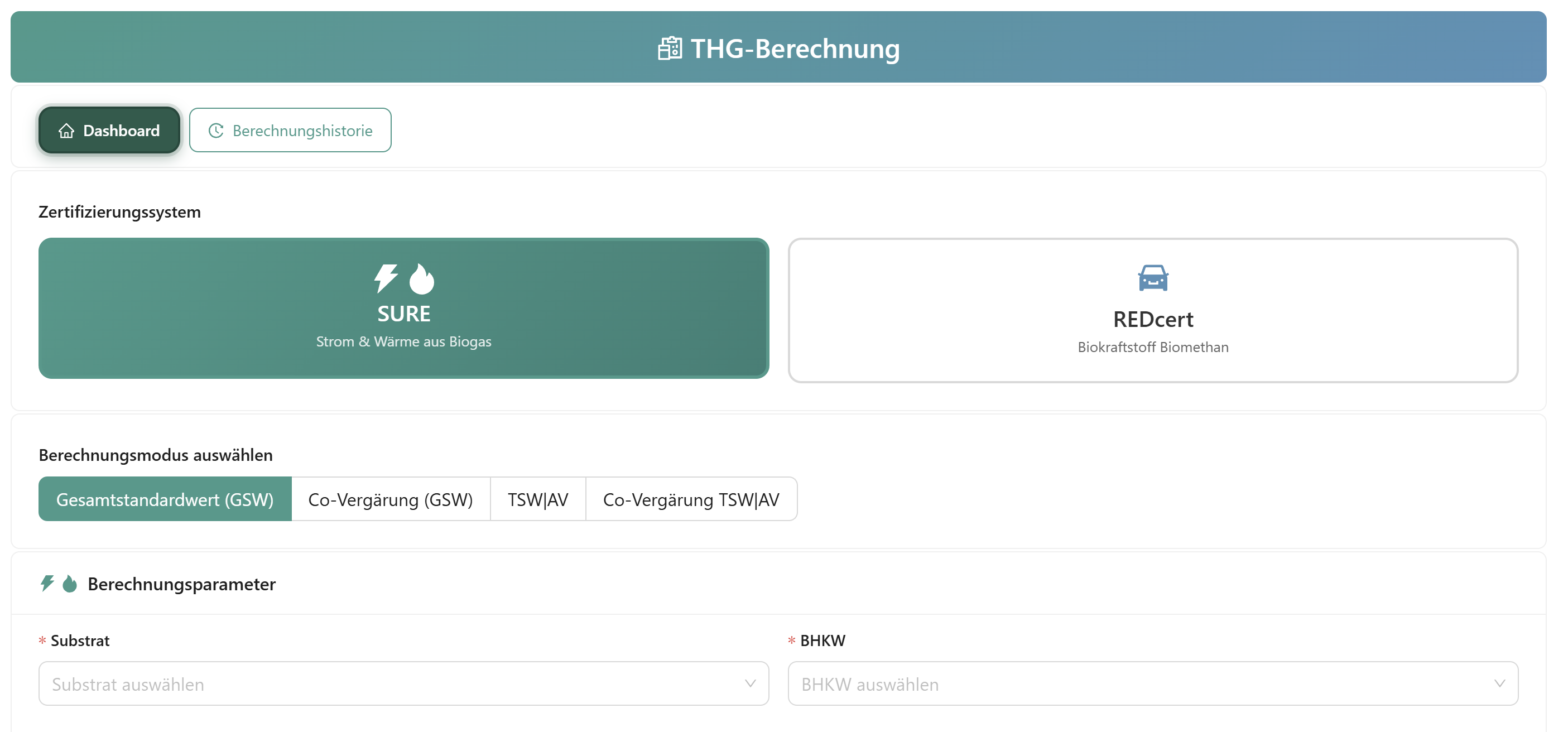
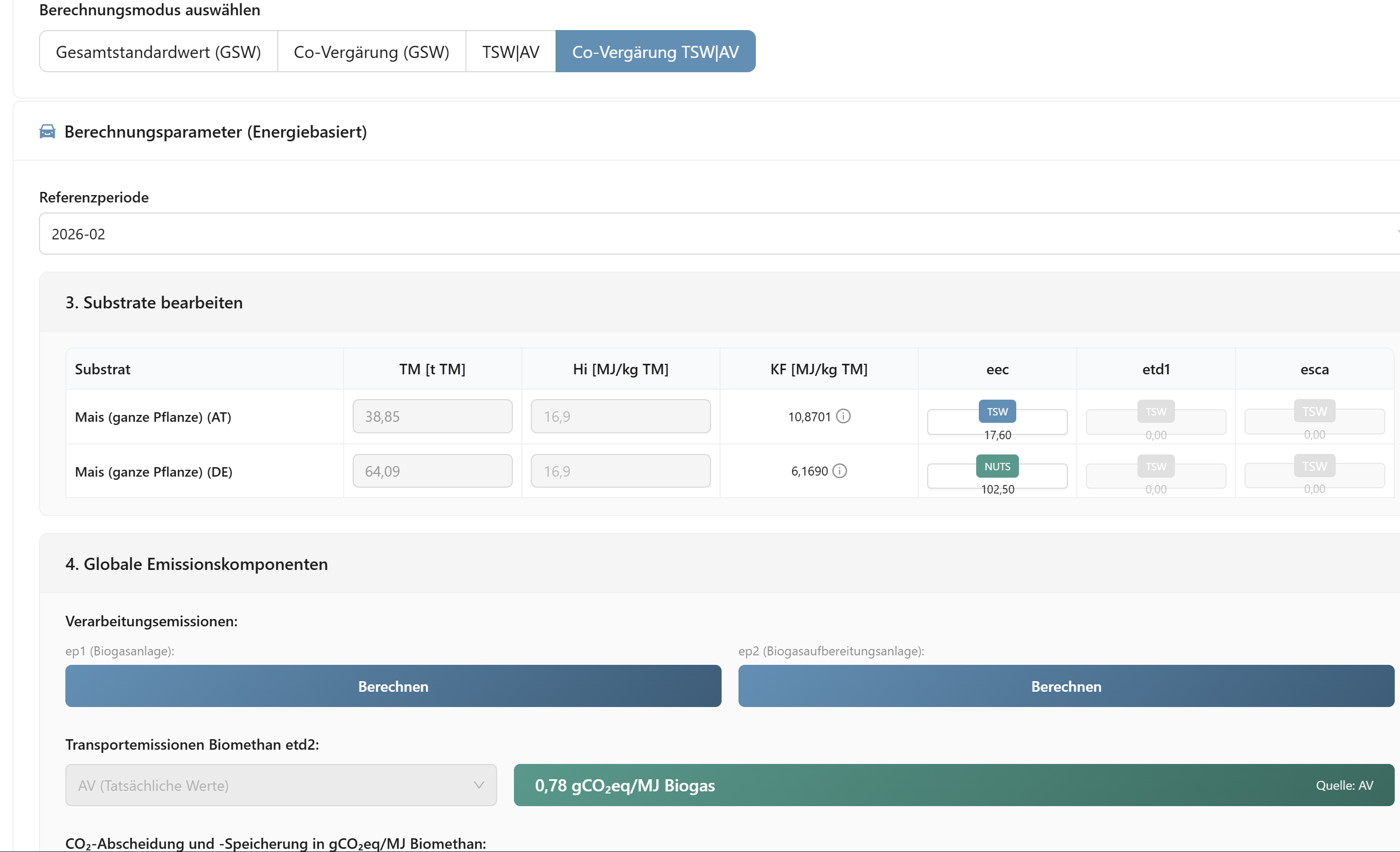
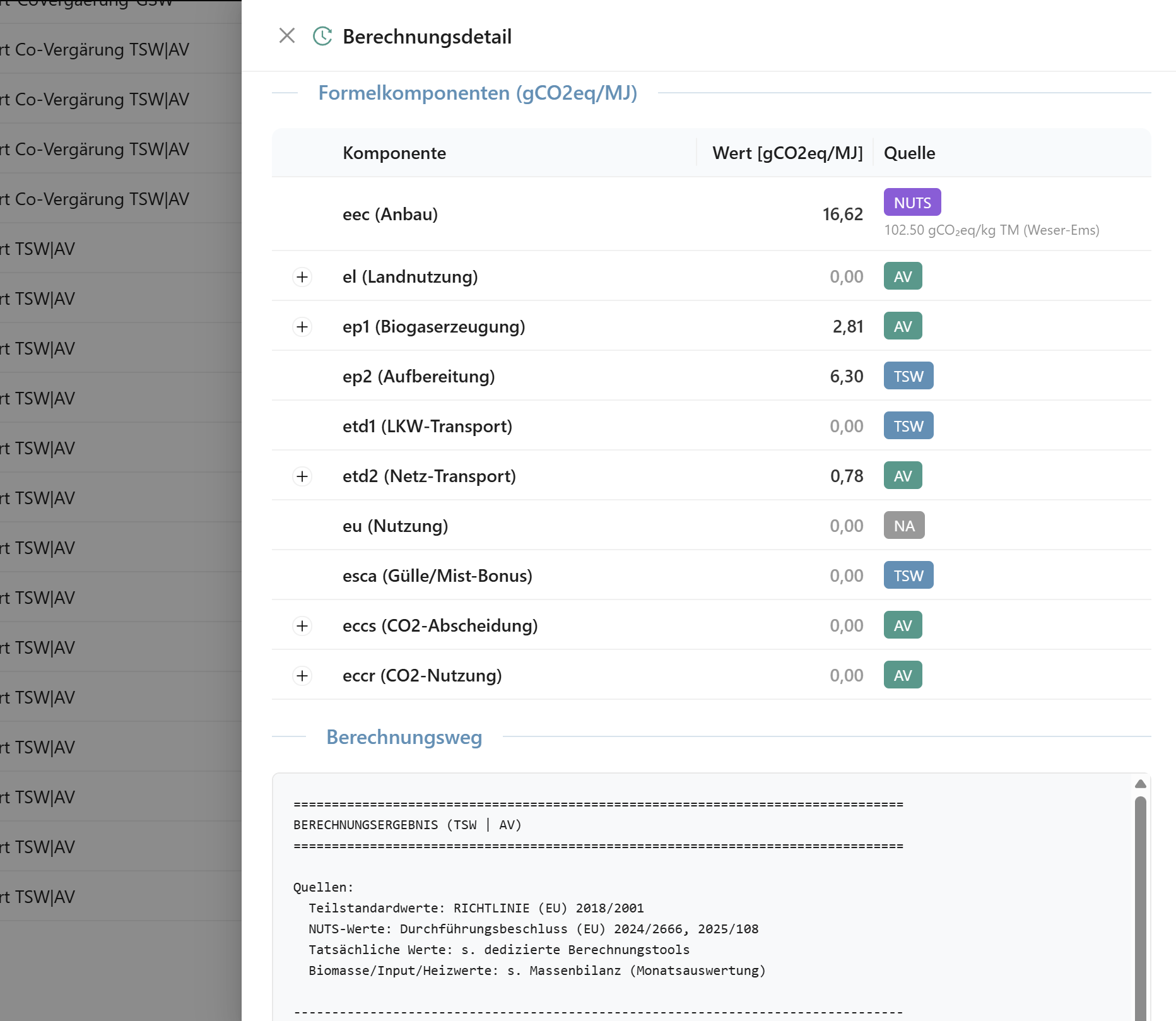
Complete calculation according to RED II/III: eec, el, ep, ep2, etd1, etd2, eu and esca. Various calculation modes for SURE and REDcert, including co-digestion.

  • Optimal cultivation emissions: Automatic comparison TSW vs. NUTS-2 - the lowest value is selected
  • Manure/dung credit (esca): Automatically determined and reported
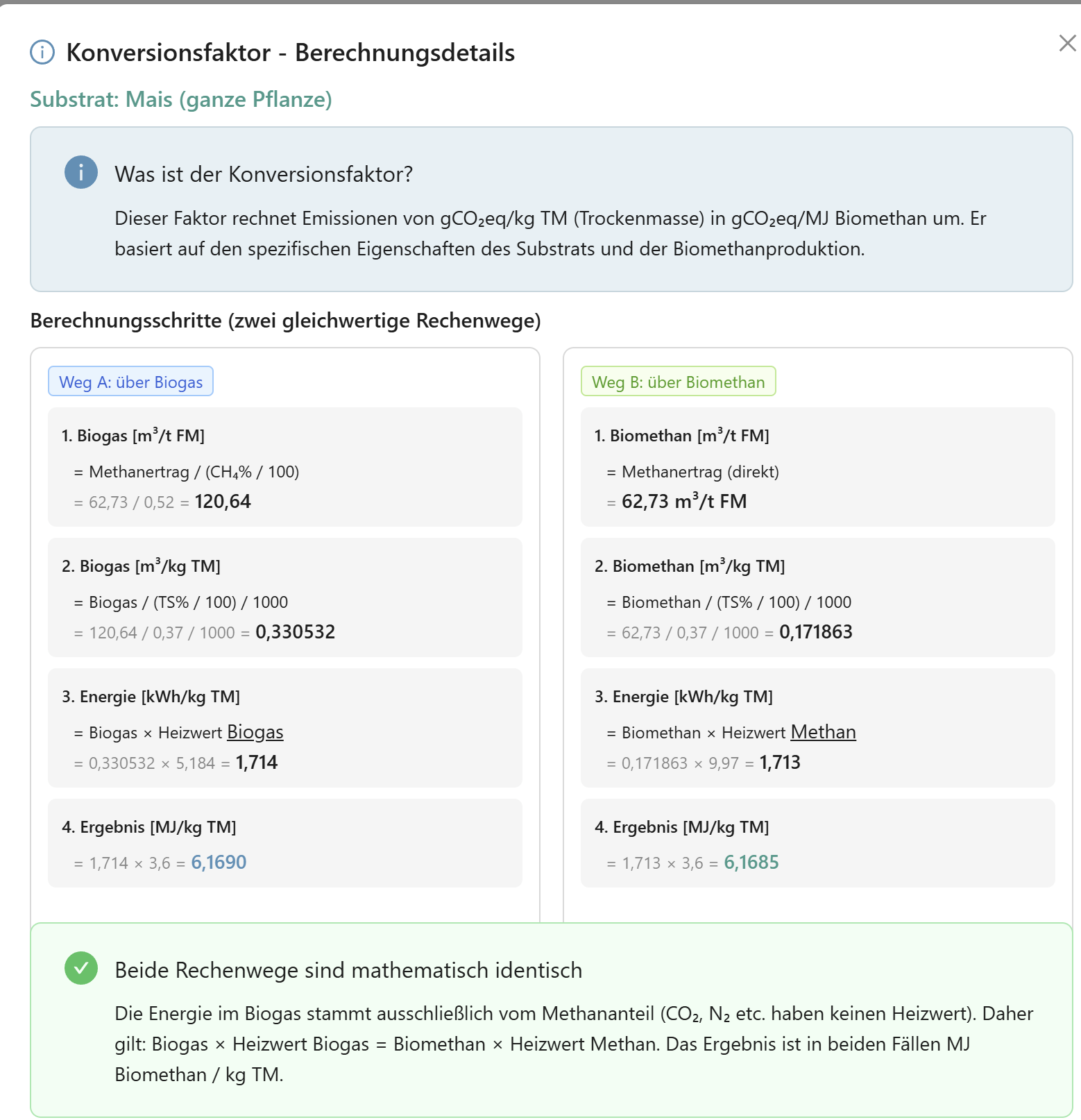
  • Conversion factor: Detailed explanation of how it is derived
  • Dual certification: SURE (electricity/heat) + REDcert (biofuel)
RED II/III Compliant 9 Calculation Modes EEC Optimization
11

Auto-Generated NABISY Import CSV

NABISY Export

Biomass codes and GHG calculation data are automatically assigned from the reports and GHG calculations. The NABISY import CSV is automatically generated and can be downloaded with one click.
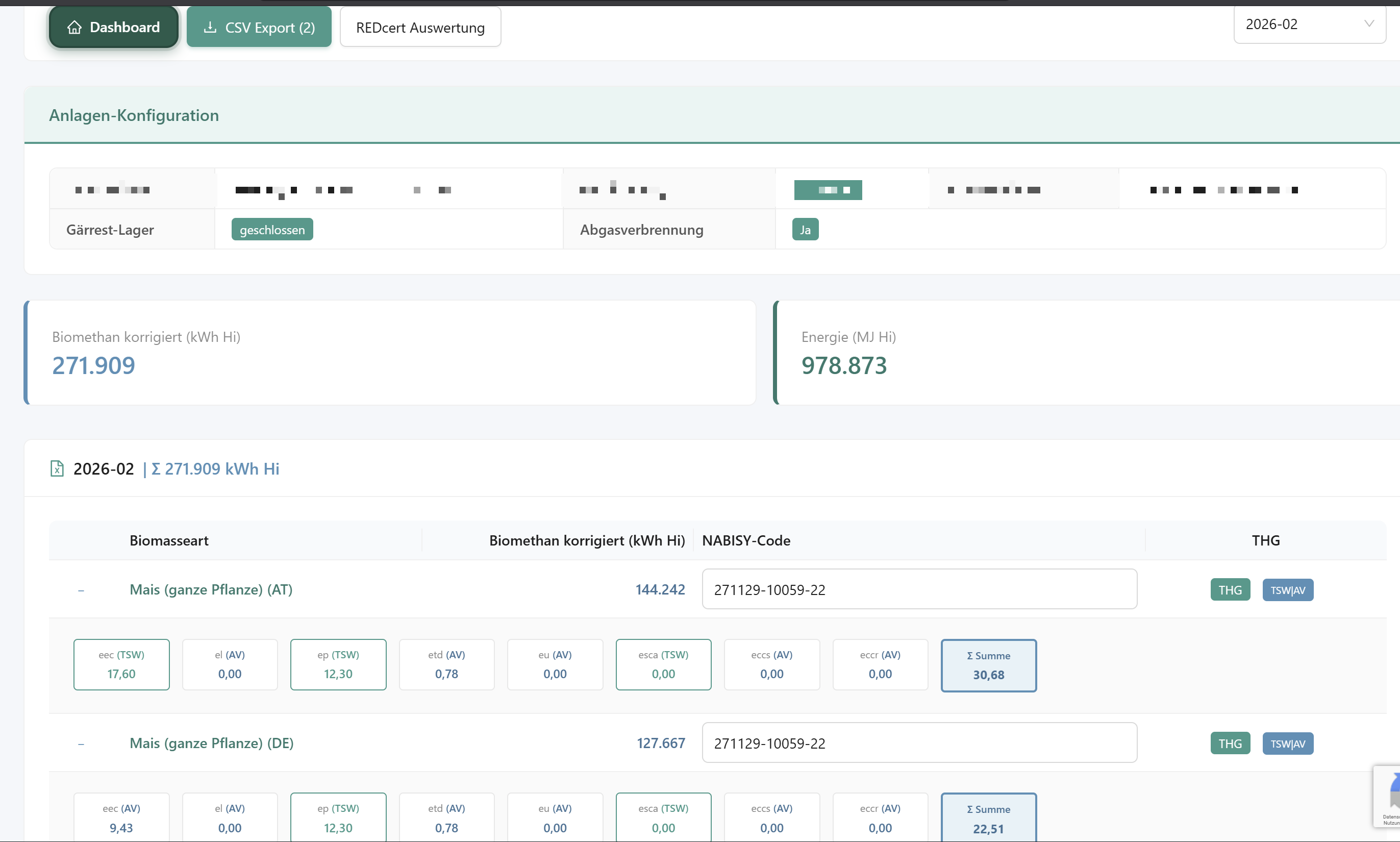
  • Automatic biomass code assignment per substrate
  • GHG components automatically taken from calculations
  • SURE and REDcert path - each with its own NABISY export
Auto Biomass Codes Auto GHG Assignment CSV Download
NABISY Export
12

Auto-Generated UDB, SURE & REDcert Reports

Reports & Annual Statements

SURE Report / UDB
REDcert Report

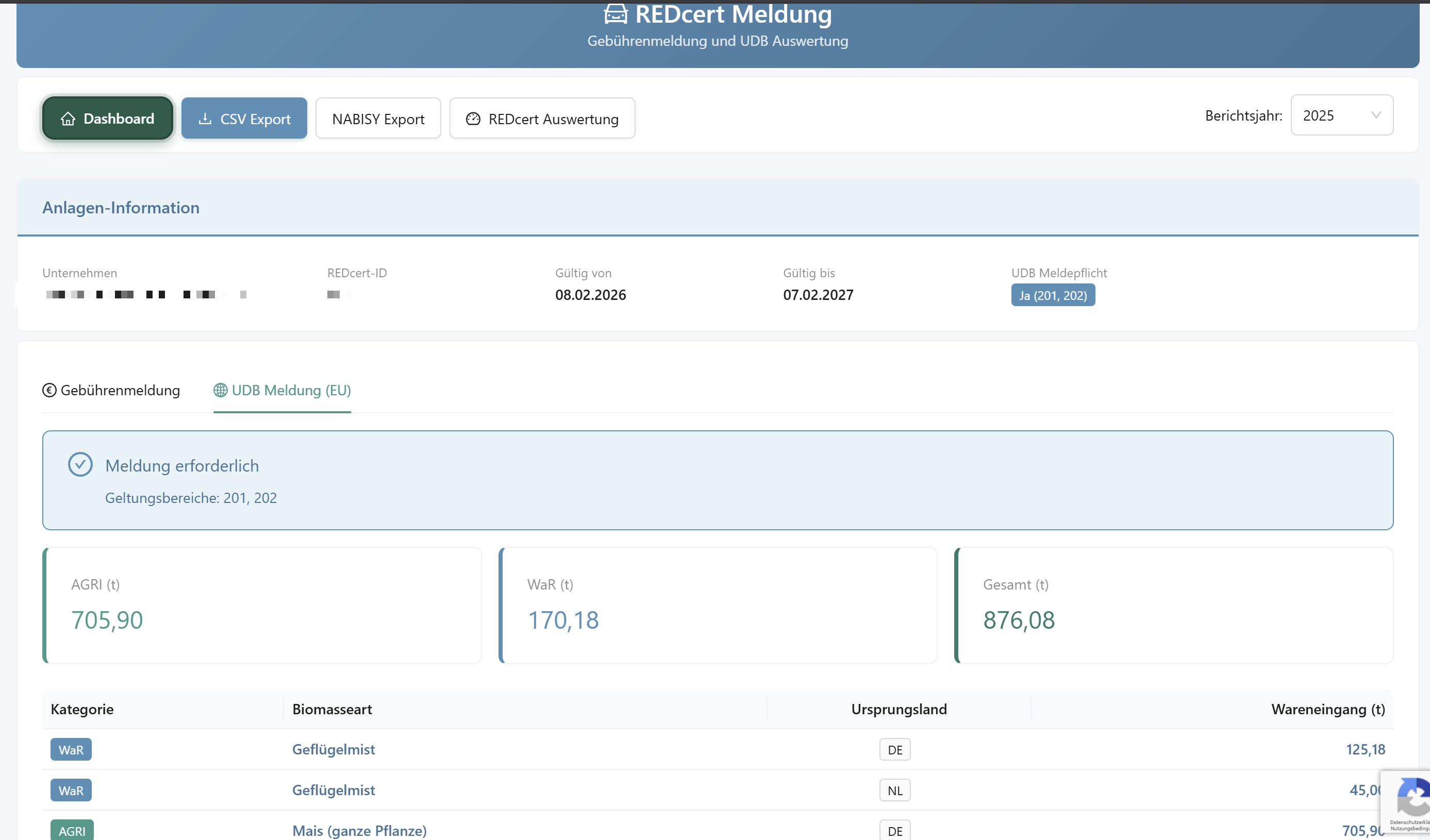
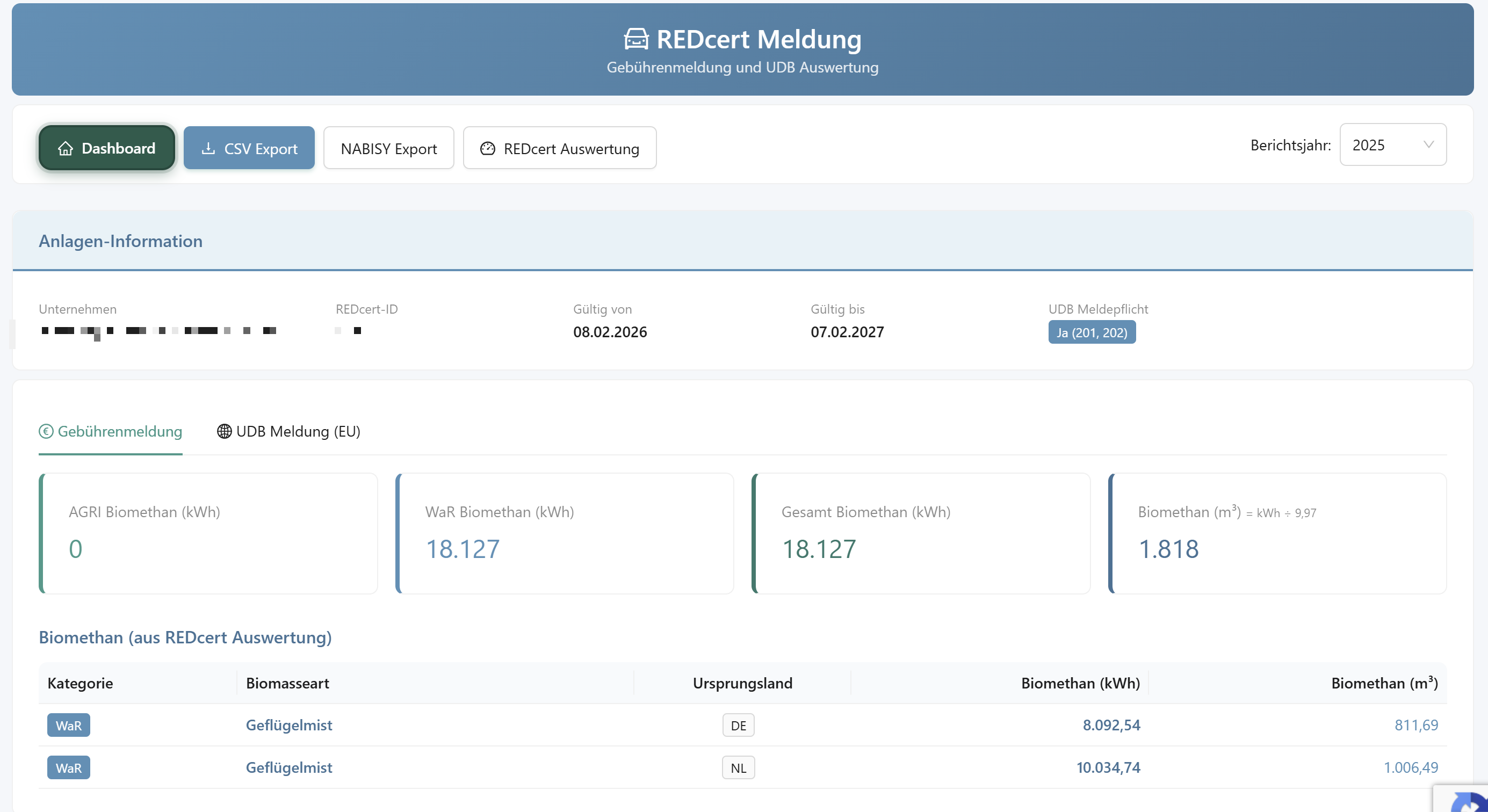
All reports are automatically generated from the mass balance data of the reference periods and the evaluations. No more manual compilation.

  • SURE annual report / fee report
  • UDB (Company Database) report
  • REDcert annual report with substrate categories
Auto-Generated UDB Export SURE + REDcert
13

Integrated AI-OCR Processing

AI Document Processing

Google Gemini AI is integrated at the critical points of the app. No separate upload area needed - AI works where you need it.

Delivery Note & Weighbridge OCR - Drag & Drop for individual and bulk bookings
Self-Declarations - AI scan of supplier documents
Certificate Scan - SURE/REDcert certificate verification during onboarding
Grid Operator - Analyze electricity/gas statements/reports
Google Gemini AI Fully Integrated GDPR Compliant
AI Certificate Verification

Example: AI Certificate Verification During Onboarding

Security & Compliance

Audit-proof, GDPR-compliant and hosted on German servers

Event Sourcing

Immutable audit trail for every booking

Multi-Tenant RLS

Data isolation at database level

RBAC

Role-based access control

German Servers

GCP Frankfurt, TLS, GDPR

Note: Screenshots are pixelated in places to anonymize personal and company data for GDPR compliance.


Ready to Get Started?

Contact us for a free demo or start directly with your account.